Switching an internet subscription in Switzerland can save money or provide a faster connection. However, the switch often fails not because of the new offer, but because of poor planning: the old subscription is cancelled too early, the fibre socket is documented incorrectly or the TV box is forgotten when equipment is returned. In the worst case, you may be without internet, TV or landline service for several days.
The right sequence usually avoids this. Three questions are key: which line is installed in your home, when does your current contract end and which devices belong to the existing provider? This checklist takes you from the technical check through to returning the router and TV box.
Check first, cancel afterwards
Before signing or cancelling a contract, check availability at your exact address. It can differ even within the same apartment building. Switching providers is easy only if the new provider can use the same infrastructure already available or if the network rollout will be completed on time.
Do not compare only the advertised speed. Also clarify these points:
- Which technology is available in your home: copper, coaxial or FTTH fibre?
- Is installation required in the apartment, at the building connection or at the OTO socket?
- Can you keep your existing landline number?
- Does the new subscription have a minimum term or an activation period?
- On which date can the new connection be activated at the earliest?
- Do you still need TV, a landline or only internet?
You can find an up-to-date overview of available offers in the internet comparison. The monthly price is not the only relevant factor: a cheaper subscription is of little use if the selected technology is unsuitable for your household or building.
Copper, coaxial and fibre: what differs when switching
The existing line determines whether the switch is mainly administrative or whether an on-site appointment is required.
| Technology | Typical connection in the home | What matters when switching | Possible effort |
|---|---|---|---|
| Copper | Telephone socket | Router and provider activation must match the line | Usually low; check older installations |
| Coaxial | Cable TV socket | Clarify the cable connection and any blocking or activation | Usually low; sometimes a technician appointment |
| FTTH fibre | OTO socket with fibre connections | Provide the OTO ID and occupied fibre number correctly | Low to medium, depending on building and provider |
Copper: switching via the telephone line
Copper connections use the existing telephone line. In many homes, the infrastructure is already available, but performance depends heavily on the distance and condition of the line. When switching, the new provider usually supplies a router or you use a compatible device.
Important: do not have the old connection deactivated too early. If the new provider is taking over the same line, it may need details of the previous connection. Also check whether an older home installation or additional devices are still connected to the telephone socket, as these can complicate commissioning.
Coaxial: switching via the cable TV socket
With a coaxial connection, internet comes through the cable TV socket. Technical commissioning is often straightforward: connect the router, activate it and test the connection. Nevertheless, clarify whether the cable connection is included in ancillary costs, billed separately or already deactivated.
If you are also changing your TV offer, check the cabling carefully. Some TV boxes require a direct connection to the router, while others work over WLAN. In large homes, with thick walls or several floors, a cable connection is often more stable than a purely WLAN connection.
FTTH fibre: record the OTO socket correctly
With FTTH, the fibre normally ends at an OTO socket in the home. This small socket has a unique identification, the OTO ID, which is often requested when ordering. It may also matter which socket connection is occupied.
Note down or photograph the information on the OTO socket before ordering. Submit it exactly as shown. Do not confuse the building number, apartment number and OTO ID.
An OTO socket often has several numbered connections. Whether a particular connection is already occupied depends on the network rollout and the selected network infrastructure. Therefore, never pull an existing fibre cable out of the socket yourself just to use another port. Ask the new provider if the order requires a fibre number or if the details are unclear.
If no OTO socket has been installed yet, an appointment may be required. In a rented apartment, clarify early whether access to the building’s technical room is needed and whether the property management must be informed.
Calculate the cancellation period and minimum term correctly
The most common organisational mistake is cancelling on the wrong date. Check your contract documents or customer portal for:
- Minimum term: How long are you committed at a minimum?
- Cancellation period: How many days or months before the contract ends must you cancel?
- Cancellation date: Is monthly cancellation possible or only on a specific date?
- Cancellation method: Is the customer portal sufficient or does the provider require written notice?
- Receipt confirmation: Do you have written confirmation of the end date?
Do not equate the dispatch date with the cancellation date. Usually, the decisive point is when the cancellation reaches the provider. Keep the confirmation safely.
Depending on the provider, the new provider may support cancellation or number transfer. Do not rely on this until you know in writing who is responsible for each step. If you cancel yourself, make sure especially that the contract does not end before the planned activation of the new connection.
Further information on deadlines, contract commitments and possible fees is available in the switching guides from moneyland.ch and Dschungelkompass.
Plan the switch without unnecessary interruption
A completely seamless switch is not guaranteed in every case. Delays can occur, especially with a new technology or a technician appointment. Reduce the risk by allowing a time buffer.
Four to eight weeks beforehand: check the contract and technology
- Check the minimum term, cancellation period and possible end date.
- Identify the line technology in your home.
- For fibre, note the OTO ID and visible port numbers.
- Compare offers and order the new connection early.
- Clarify whether a technician appointment, access to the technical room or approval from property management is required.
Two to four weeks beforehand: prepare the appointment and devices
- Confirm the activation date in writing.
- Check the delivery address for the router, TV box and return labels.
- Make sure someone can provide access to the apartment on installation day.
- If you work from home, plan a backup, such as a mobile hotspot or an external workplace.
- Save access details for important services if you need to set up a new WLAN name or password.
On activation day: test first, dismantle later
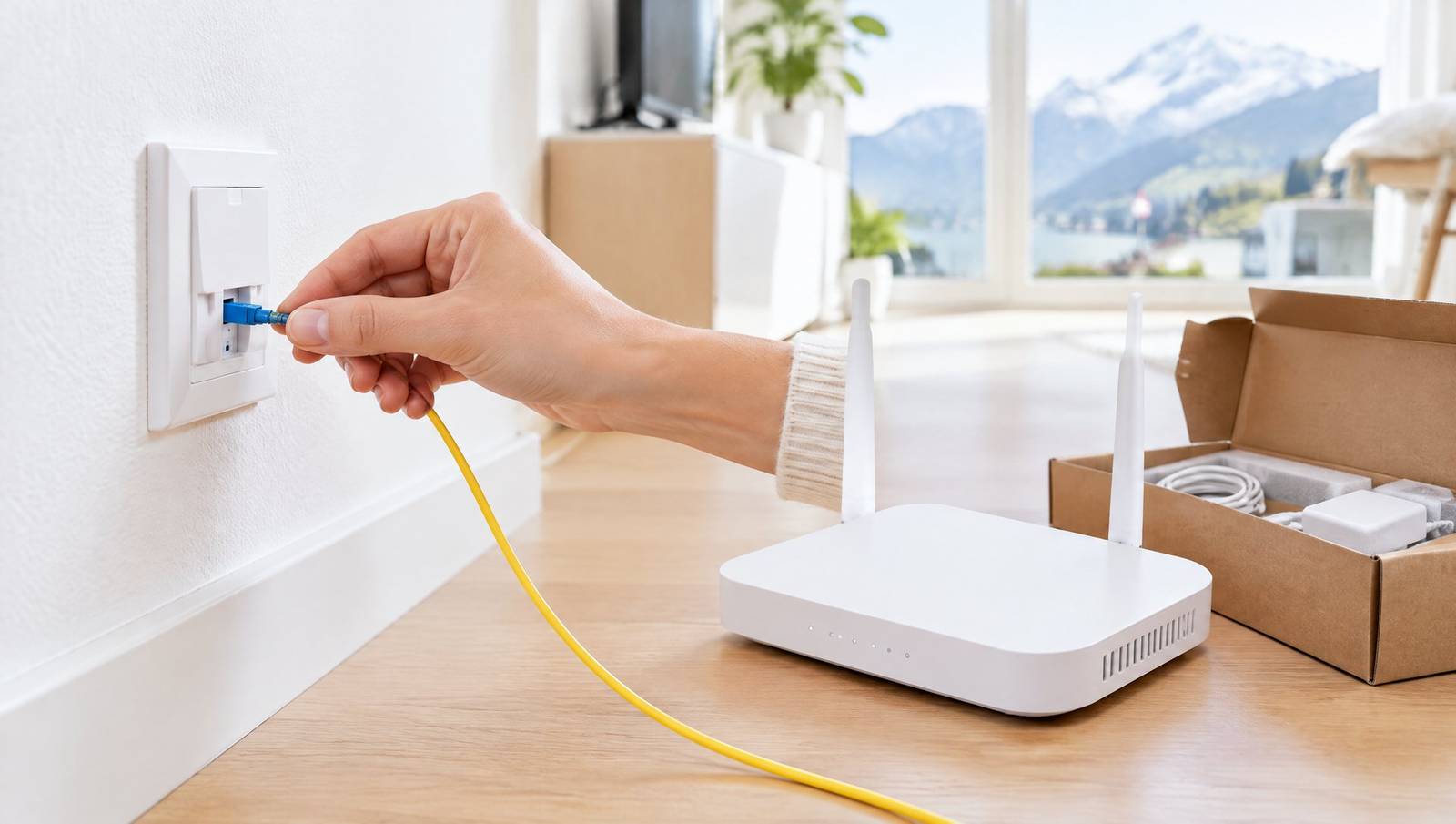
Connect the new router according to the instructions. With fibre, connect the optical cable to the designated socket; do not bend it sharply or pull it unnecessarily. Wait for the activation time specified by the provider.
Then check:
- internet access via LAN and WLAN;
- telephony, if included in the subscription;
- TV box and subscribed channels or apps;
- WLAN coverage in the most important rooms;
- the operation of work devices, printers, smart home devices and repeaters.
Do not dismantle the old router until the new connection works reliably and the cancellation or takeover has been clearly confirmed. If both connections briefly run in parallel, duplicate costs may arise for a limited period. This buffer can nevertheless be useful if you depend on a stable connection.
Router: rental device, personal device and compatibility
A router is not automatically compatible with every connection and provider. Copper, coaxial and fibre have different technical requirements. With FTTH, a separate fibre modem or suitable optical module may also be needed.
If you want to use your own router, clarify before ordering:
- Does the provider support personal routers for your connection type?
- Are access details and technical settings provided?
- Is additional hardware required for fibre?
- Who provides support if the connection does not work with your own device?
The supplied router is often the easiest option for initial commissioning. A personal router can make sense if you need special WLAN functions, more network ports or advanced settings. For troubleshooting, it is helpful to test with the provider’s device first.
Return the TV box and old devices correctly
When switching, it is easy to forget the router, TV box, remote control, power supplies, cables and any adapters. The contract documents or cancellation confirmation state whether you must return the devices. Do not assume that old hardware is automatically worthless or that you may keep it.
Create a checklist before shipping:
- router including power supply;
- TV box including power supply;
- remote control and, if applicable, battery compartment cover;
- supplied adapters, network cables or fibre cables, if requested;
- return form or return label.
Photograph the contents of the parcel and keep the shipping receipt. Delete personal data, saved WLAN configurations and logins if the device offers the relevant function. You should also sign out of apps on the TV box if they were configured separately.
If you continue using TV with the new provider, compare the device requirements in advance. An old TV box normally will not simply work with the new contract. You can find an overview of bundled offers under internet and TV; compare standalone TV offers in the compare TV section.
The short switching checklist
- Check the address and available technology.
- For FTTH, record the OTO ID and port numbers correctly.
- Document the minimum term, cancellation period and contract end date.
- Order the new connection before cancelling yourself.
- Clarify the installation appointment and any access requirements.
- Have the router and TV box delivered in good time.
- Test the new connection completely.
- Only then pack and return the old devices on time.
- Keep cancellation and shipping receipts.
Conclusion: technology and timing go together
Anyone switching an internet subscription should not treat the provider change as a mere cancellation. The line in the home, the details on the OTO socket, router compatibility and the return of TV hardware are just as important as deadlines and prices.
Order the new connection well in advance, document all details and cancel the existing contract only with a clear plan. This significantly reduces the risk of an interruption, unnecessary additional costs or a missing internet connection at the crucial moment.